Uniform navigation and portal logic in all ORF OK products
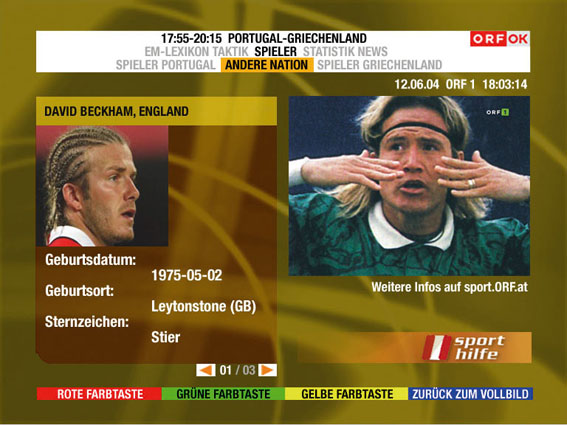
As in the INFOTEXT portal, viewers can open the TV JETZT portal by pressing the OK button. However, the TV JETZT portal was mainly designed in yellow and could therefore be accessed using the yellow button on the remote control. The television image was still displayed in miniature format (as it was in INFOTEXT), but it took up more of the screen in the TV JETZT portal (quarter screen view); this made it easier to create a connection between the show on the air and the additional information, plus the viewer could follow the show more easily.
True interactivity in „participatory television“
If a return channel was available, viewers could express their opinions on various topics and questions directly in all ORF OK portals. Due to the close linkage of its content to each television show, TV JETZT is especially suited for this feature. Viewers could use the portal‘s navigation bars to open a voting page and take part in spontaneous surveys related to each show. Viewers confirmed and submitted their votes by pressing the OK button, and the votes were transmitted via the return channel to the data processing center, where the results were evaluated.